


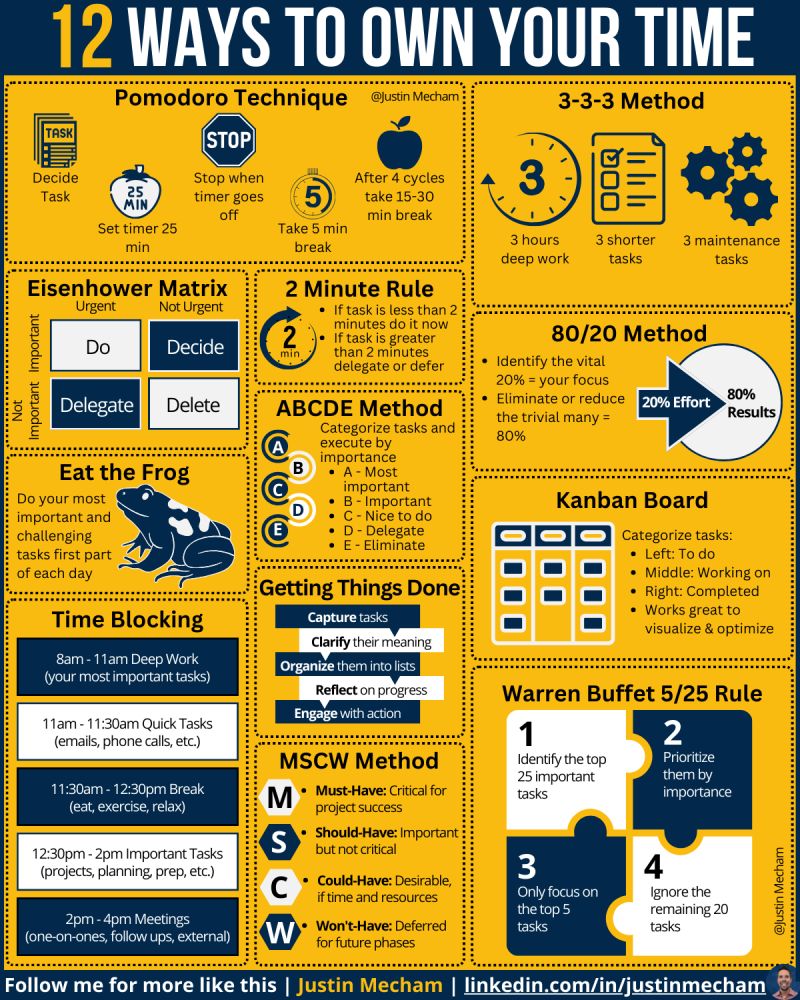
A Handy Infographic
The above is a summary of 12 different time management techniques. These are all popular and easy to understand methods to assist with priority setting and time management planning. Thanks Justin Mecham. You can follow him on LinkedIn at: https://www.linkedin.com/in/justinmecham/
Yu can use these approaches and techniques for managing lists of identified ‘items’ that need to be prioritized and then use the results as input to enable broader more strategic time management.
These techniques are like a ‘launch pad’ for matching APPROACH to NEED to OUTCOME for different priority setting circumstances.
Its also a great list for identifying techniques for CROSS-VALIDATION improving the outcome integrity over single approaches.
In an earlier post on balancing work and lifestyle priority setting I discussed using The Eisenhower Matrix.
PRIORITY SETTING METHODS TO AVOID
In this post I will go on to talk about using online tools to assist in team-based priority setting and planning. Why would I bother as it seems so obvious that is what we should be doing – but too often WE ARE NOT!!!
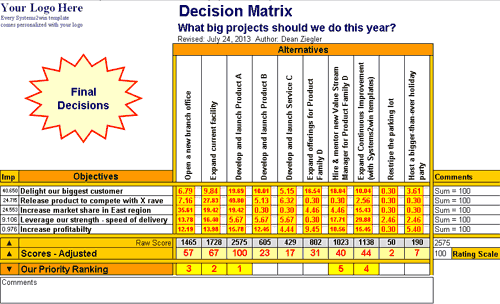
I am amazed when I still keep seeing priorities being defined in Battlestar Galactica Excel spreadsheets like the one below that to be honest no one other than the Excel spreadsheet author really understand. They are a triumph of process over outcome where to review or refine priorities requires tabs to be reviewed, macros to be updated, VLOOKUPs to be set up and (oh no) linked spreadsheets to be accessible.
DISCAIMER: I just found this example with its ‘elegant’ numerical scoring algorithm on Google as I did not want to offend any colleagues by showing a real scary example we might have actually used.
Wrapping on-line team collaboration around planning
Lets do our planning together.
At work we have been using Miro for team-based collaboration. I am not being paid to say this. It really is a great tool.
Significantly we have been using Miro at all levels of management. So staff in operational roles and also senior executives are getting exposure to using the same types of methods and approaches – we are creating a common understanding with a common language.
There is a David Lynch-like ‘electricity’ in the air as the setting of priorities, what drives them, and what the challenges are is being communicated and being understood. The CEO and a Junior Developer can have a discussion that links a specific task to the big picture.
By doing our planning together we empower our teams. We do not even need to actually be together – but it helps. Miro is a great tool for real-time team collaboration within online workshops where not everyone needs to be in the room but can participate (almost) equally by using tools and templates setup within Miro. For example, templates for priority ranking and sharing thoughts or views. This is starting to make team collaboration work far more efficiently and effectively – we are working together and hearing more voices.
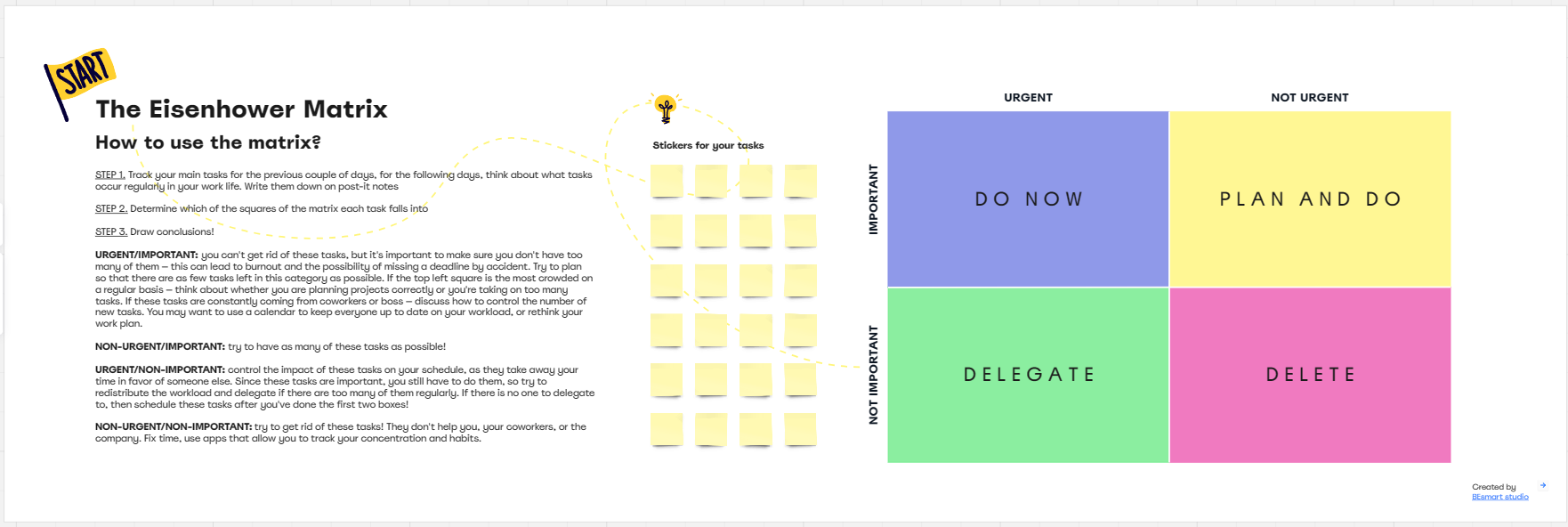
The above is a Miro Board template setup and ready for a team collaboration session using the Eisenhower Matrix I talked about in the previous post – a technique that is typically being used across the business for different types of priority setting.
If you do not have Miro access you can actually access this board ‘live’ within Miro here using ‘Try for Free’ (but at some point you will need a subscription).
Perhaps the planning board is going to be used by:
Product Development: input to sprint planning on new feature priorities for upcoming releases
Product Owners: Product Roadmap priorities such as common features across products
Customer/Project Delivery: for process improvement ideas or common items raised by customers
Sales and Marketing: for campaign planning and sequencing
Getting The Team Online
To go a bit deeper…
SET SOME PRIORITIES USING DIFFERENT APPROACHES:
In an online team workshop using a Miro Board the team can do some priority setting exercises such as using different techniques to tackle some priority setting using short time-boxed exercises (say 10 minutes per technique). The team members each identify ‘their’ priorities using online post-it notes and other Miro user experience elements. All very intuitive.
The example below focuses on the ‘urgency vs. importance’ distinction that is a key element of an Eisenhower Matrix.
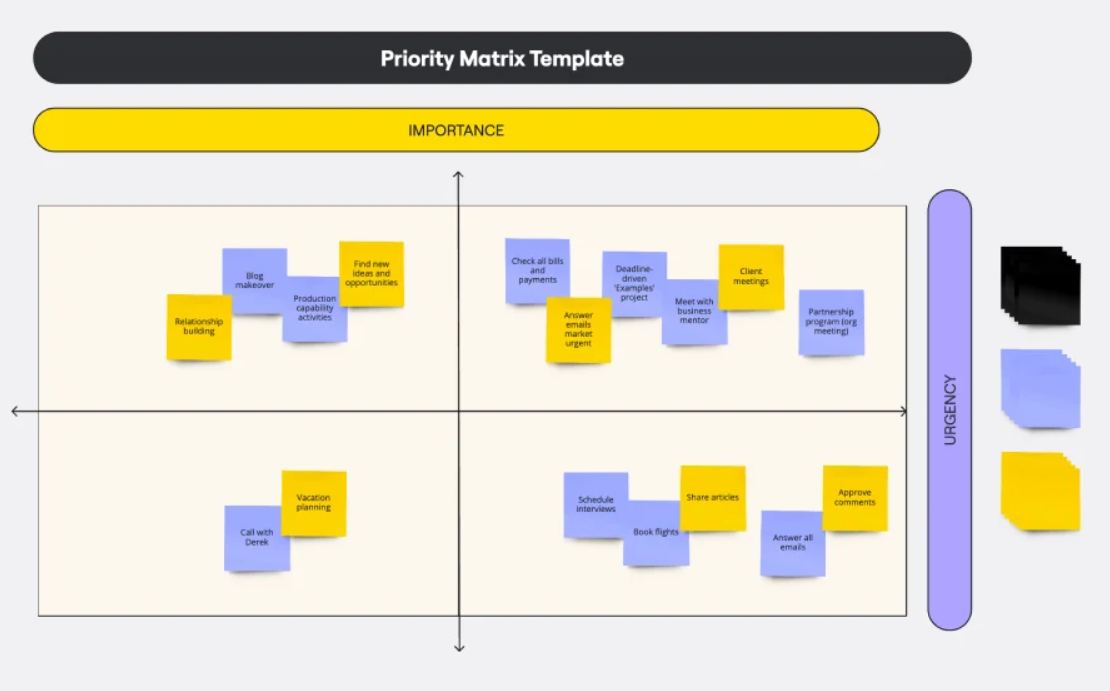
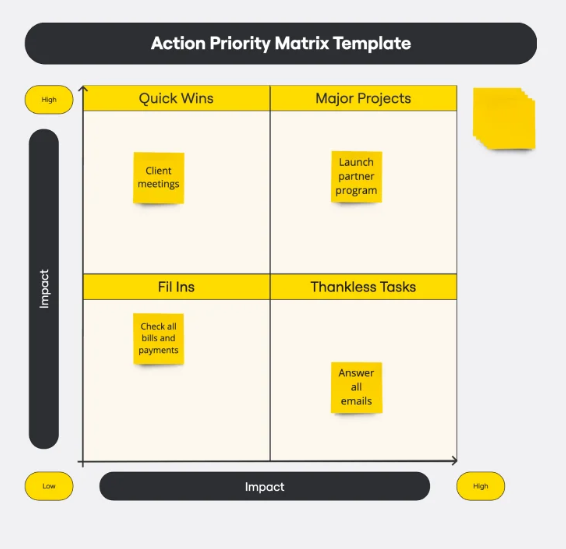
The example below looks at the ‘impacts’ of priorities – it will give a different perspective to just urgency and importance for example highlighting ‘quick wins’ which are actually opportunities.
VOTE AS A TEAM ON PRIORITIES:
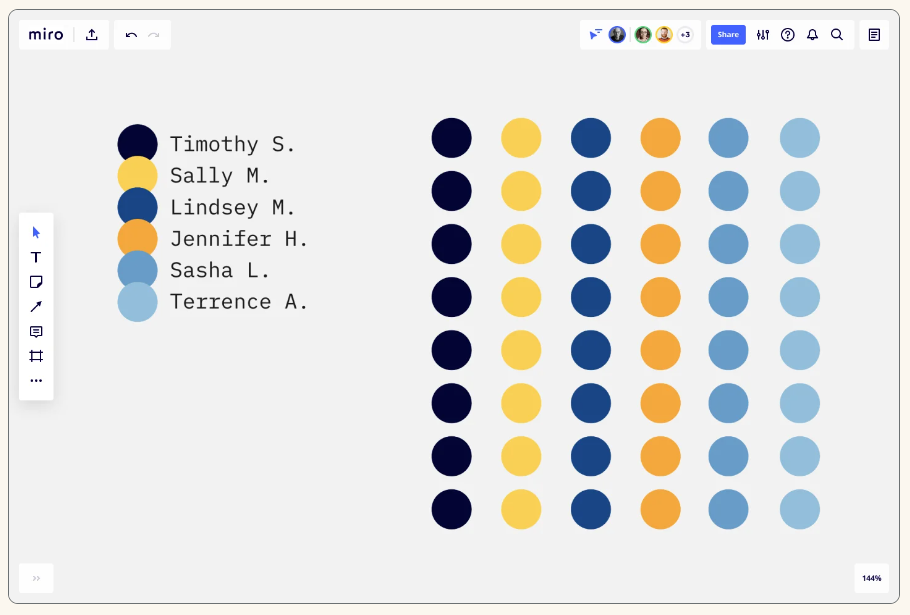
Team voting then occurs. This can be as named users or ‘secret ballot’. Named is preferred as everyone’s vote has thoughts behind it – and they may be very valuable if shared. The example below is the ‘dot voting’ where each users has a number of votes they can assign to priorities (e.g. Top Three, 1 to 10 etc). The overall vote count defines the Team assessed priority.
DISCUSS AND REFINE:
Following voting there will be items generally now agreed that do not require further discussion or debate. Where there is general agreement then these items can be quickly agreed and documented. The remaining time shifts to being ‘high value’ team engagement. It’s possible together as a team to quickly see points of commonality and difference across the different priorities and techniques. Share more insights and test together. For example, is there a quick win to be considered? As a team collaborating together the real value comes from discussing where there are points of difference – these discussions usually bring nuance and context to inform decision-making – they may even challenge some initial ‘that is obvious’ initial assumptions driving critical rethinking.
SHARE FOR OTHER STAKEHOLDER INPUT
As everyone is using similar techniques and tools new layers of sharing become possible. Teams can collaborate on the same boards (e.g. lets add some inputs to the Miro board to get a Sales and Marketing perspective on the Product Development Team’s thinking on Product Roadmap). Teams can also independently use each other’s Boards for powerful communication and knowledge sharing (e.g. lets look at the identified drivers used for new product features voting and position these into our sales collateral as they will resonate with customers)

 My Working Life
Leave a comment